
RAW photo workflow
Built around serious image development and file testing. Use your own camera files to evaluate opening behavior, preview quality, adjustments, and export output.
Features
Bandit DarkRoom focuses on a disciplined desktop editing foundation. The current beta is designed to make the core workflow easy to test, inspect, and improve.
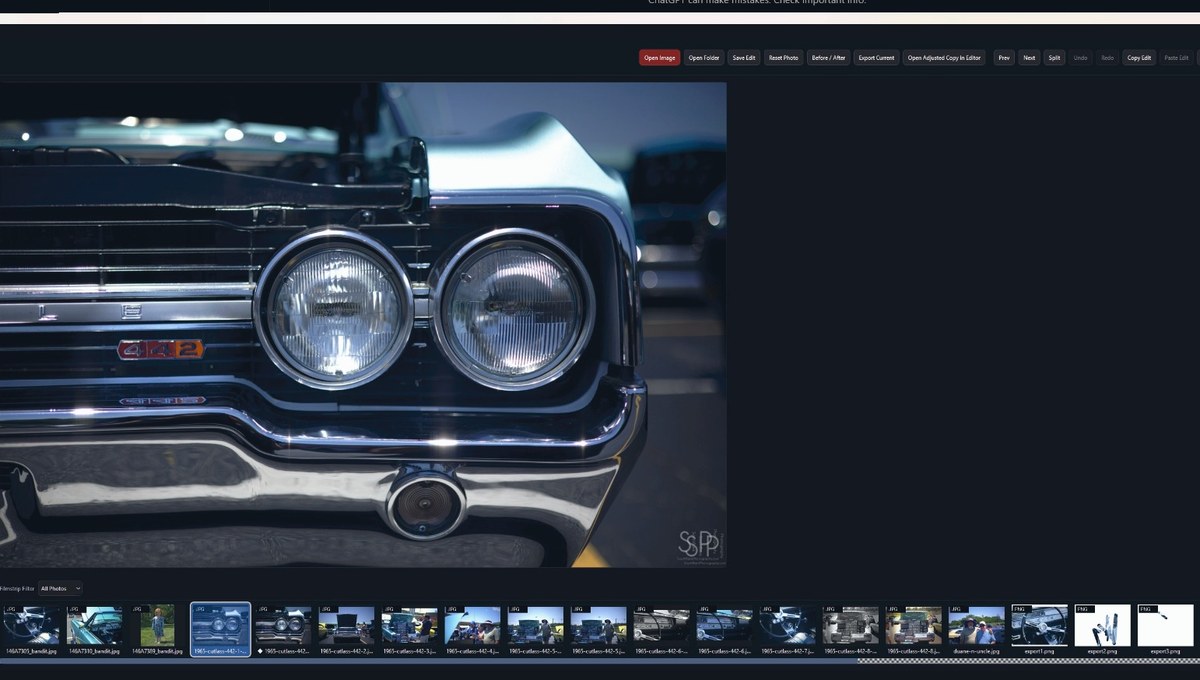
Built around serious image development and file testing. Use your own camera files to evaluate opening behavior, preview quality, adjustments, and export output.
Designed as a desktop app with local file control. The website does not claim cloud sync, mobile apps, account storage, or automatic online processing.
Project and edit data can be handled through a sidecar-style workflow, making beta testing easier to inspect and recover from.
Export tools and history help you test output naming, destinations, repeat exports, and the practical behavior of edited copies.
The interface is meant to feel understandable: fewer distractions, clear panels, predictable buttons, and direct access to the main editing actions.
A dark workspace keeps the photo central and limits UI glare while reviewing exposure, shadow detail, chrome, highlights, and color.
Current tools will evolve. Feedback from actual editing sessions helps prioritize the parts of the application that matter most.
The workspace is being shaped to support future professional tools while keeping the current release honest about what is available today.
Beta boundaries
Bandit DarkRoom should not be described as a replacement for established commercial editors. It is a focused beta application for photographers who want to help shape a local-first desktop editing workflow.
Next step